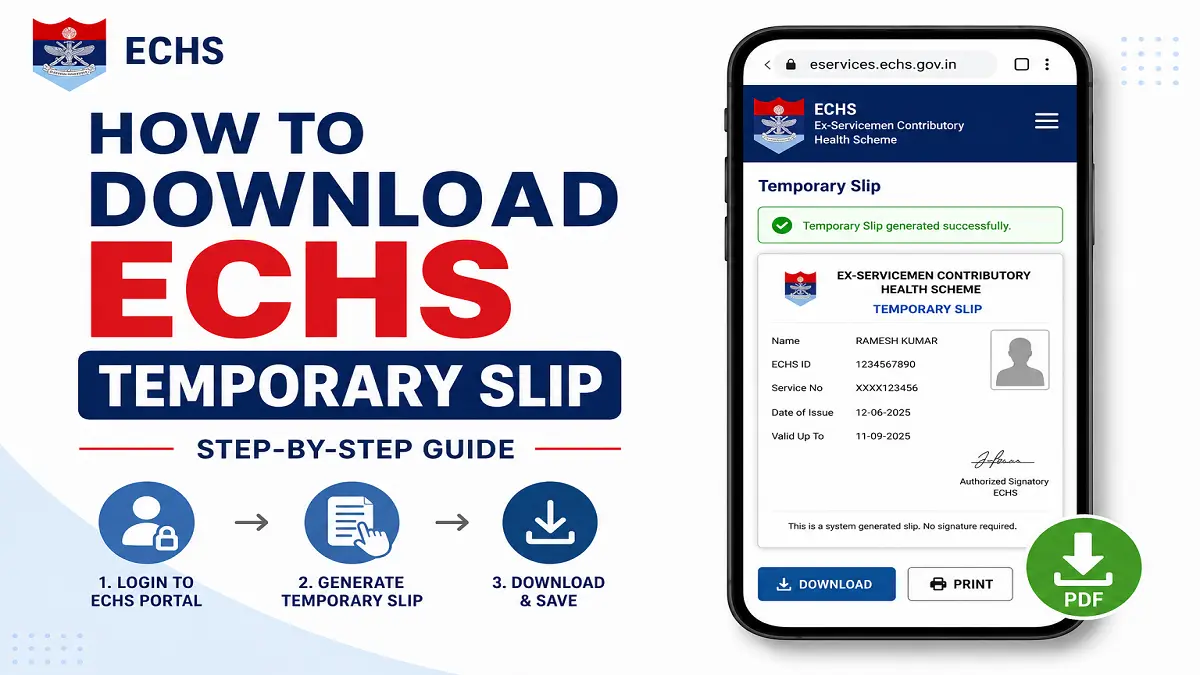
You don’t need to visit a Regional Centre to get proof of your ECHS membership while your smart card is being made – an ECHS temporary slip download is done directly from the official ECHS portal once your online smart card application is submitted and paid for. This slip works as a stand-in for your 64 KB card at polyclinics and empanelled hospitals until the physical card reaches your Station HQ.
A lot of veterans get confused at this stage because the ECHS temporary slip doesn’t show up automatically the moment you apply — it depends on which category you fall under, and it needs to be countersigned before a polyclinic will accept it. This piece walks through exactly where to find it, who gets one, and what to do if it isn’t there when you check.
What is the ECHS Temporary Slip?
The temporary slip is a system-generated printout carrying your ECHS application details and your dependents’ information. It’s issued after you complete the online 64 KB smart card application and pay the card fee, and it lets you access ECHS facilities before the physical smart card is dispatched. It is not a substitute for the card itself — it’s a bridge document with a limited shelf life.
Who Gets a Temporary Slip
Not every applicant sees this option in their login immediately after finishing the application form. Based on ECHS’s own category-wise rules:
- Temporary Slip Holders and 16/32 KB card holders get it auto-generated right after successful payment.
- Future retirees, post-2003 retirees not yet enrolled, and pre-1996 or 1996–2003 pensioners applying for the first time don’t get an instant slip. Theirs is released only after the Record Office verifies the application — you’ll get an SMS once that happens, and the download option will appear in your login afterward.
- Existing cardholders renewing or replacing a card generally don’t need a temporary slip since their old card remains valid until the new one arrives, unless it’s lost or damaged.
If your category falls in the second group, don’t assume the system has failed — the wait for Record Office verification is normal and can take a few weeks.
How to Download the ECHS Temporary Slip
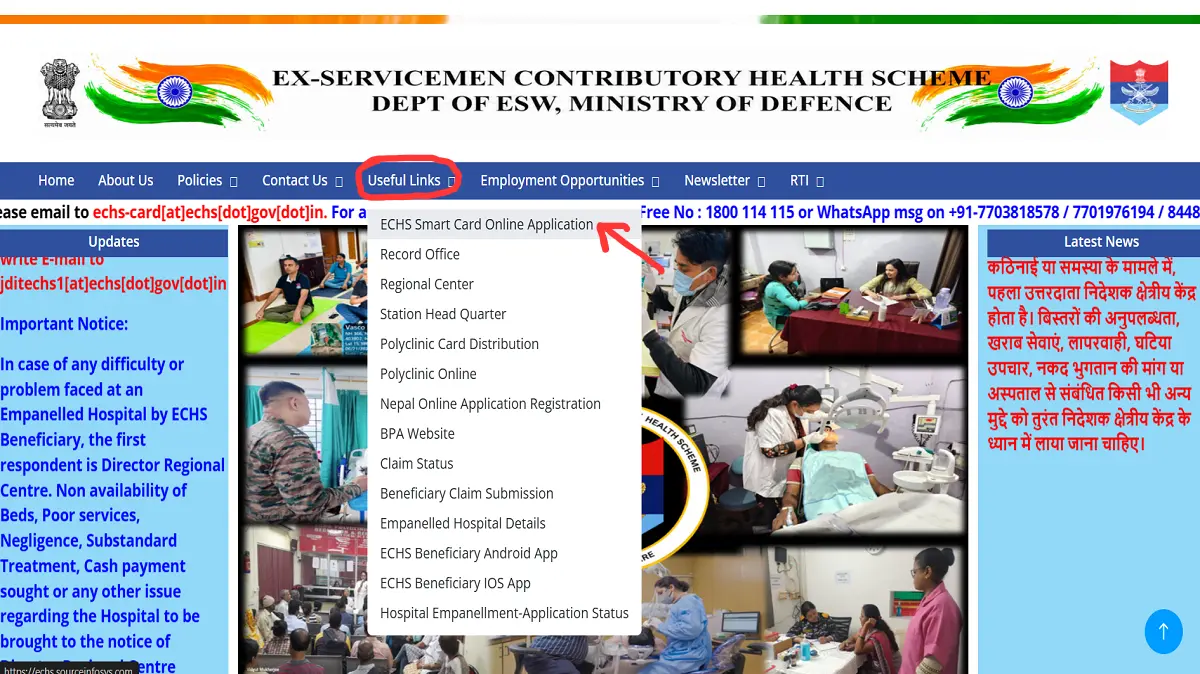
Step 1: Go to the ECHS online application portal. Open echs.gov.in, and click on “Online Smart Card Application,” or go directly to the sourceinfosys portal linked from the ECHS website. This is the same portal you used to register and apply — not the main ECHS informational site.
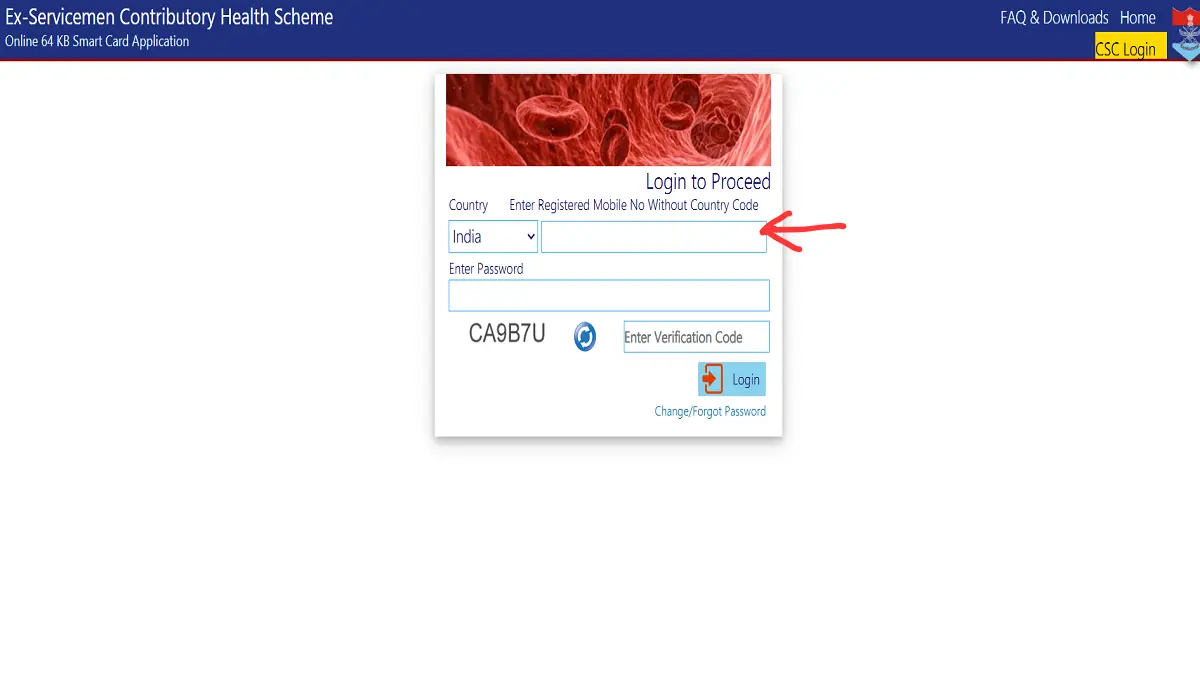
Step 2: Log in with your registered mobile number. Use the mobile number and password you created at the time of registration. If you’ve forgotten the password, use the “Forgot Password” option — it sends a reset OTP to the same mobile number, so keep that number active until your card arrives.
Step 3: Open your saved application. Once logged in, go to the application dashboard. If payment is already done, you’ll see options to view or print your Filled Application, Payment Receipt, and — where applicable — the Temporary Slip.
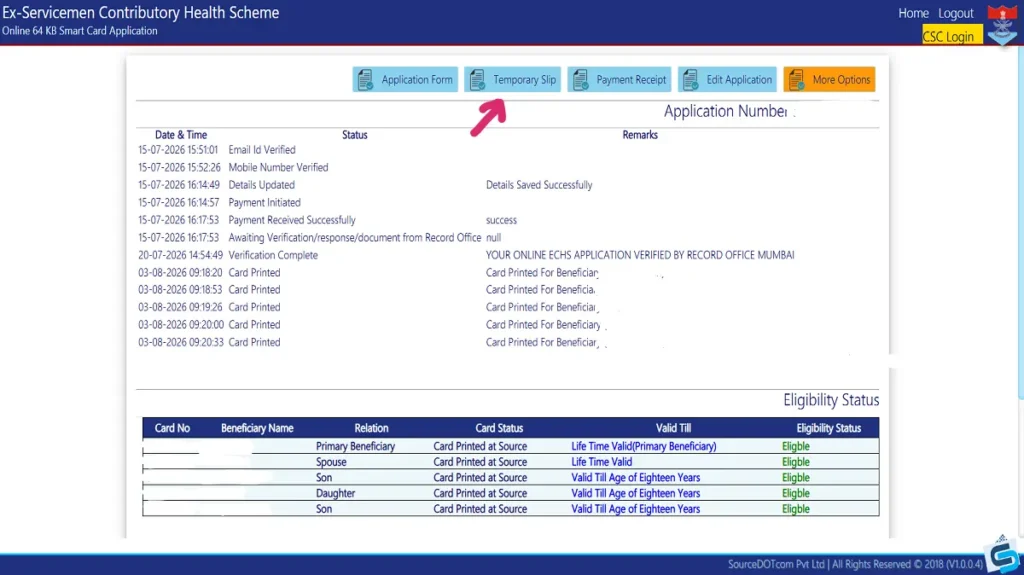
Step 4: Download and print the slip. Click the Temporary Slip link, then save or print it. Keep at least two printed copies — one to carry, one to leave with your parent polyclinic when it’s activated.
Step 5: Get it activated at your parent polyclinic. A downloaded slip isn’t valid on its own. Take it to your parent polyclinic along with your PPO or pension book, service/discharge book, and dependents’ age proof. The OIC there verifies these and signs the slip, which is what actually activates it for use.
ECHS Temporary Slip Validity
| Situation | Validity |
|---|---|
| Standard temporary slip after activation | 3 months from the date of issue |
| Extension by the parent polyclinic | 3 more months at a time, if the card is still not received |
| Cards that expired without replacement (past extension orders) | Extended to 6 months in some circular-specific cases |
Because these extension periods have changed through separate ECHS circulars over the years, always check the current instructions on the ECHS portal or with your polyclinic before assuming a slip is still valid — don’t rely on an old circular alone.
Important Points to Remember
- The temporary slip only becomes usable after polyclinic activation — a printout by itself won’t get you treatment.
- If your slip’s validity is about to lapse and the card hasn’t arrived, go back to your parent polyclinic for an extension rather than waiting for it to expire.
- Once you finally receive your 64 KB smart card from Station HQ, you’re required to hand over both the old card (if any) and the temporary slip at collection.
- If the Temporary Slip option doesn’t appear in your login at all, check your application status first — an unverified application from the Record Office is the most common reason.
Frequently Asked Questions
I applied and paid, but there’s no temporary slip in my login. What now?
Check your application status under the same login. If it shows “pending verification” at the Record Office, the slip will appear only after that step clears — this can take a few weeks, depending on your category.
Can I use the temporary slip without getting it signed at the polyclinic?
No. An unsigned slip is not accepted as valid proof at polyclinics or empanelled hospitals. Activation by the OIC is mandatory.
My temporary slip has expired, and my smart card still hasn’t arrived. What should I do?
Visit your parent polyclinic with the expired slip and ask for an extension. Extensions are typically granted for another three months at a time, as long as the card hasn’t been received.
Is there a fee to download the temporary slip?
No separate fee — it’s part of the same online smart card application for which you’ve already paid the card charges.
Where can I check the status of my ECHS smart card if I’m not sure it’s ready?
Use the same portal login or the ECHS Beneficiaries mobile app, and enter your registered mobile number and application number under “Card Status.”
Final Words
The ECHS temporary slip download process is straightforward once you know it lives inside your original application login, not on a separate page — the part people usually get stuck on is activation at the polyclinic, not the download itself. If the slip is missing entirely, check your verification status before assuming something’s gone wrong.